Too much noise
Broad feeds bury relevant vulnerabilities under alerts that do not concern your technologies.
OpenCVE helps security teams explore, enrich, and track vulnerabilities from NVD, MITRE, CISA, Redhat and other trusted sources in one place.
Product overview · Click to enlarge


Over 70,000 new CVEs are published every year. Tracking scattered sources and identifying which vulnerabilities matter to your business takes time your team cannot afford to lose.
A severity score alone cannot tell you what matters to your business. You need relevant alerts, risk context, and a clear way to coordinate the response.
Broad feeds bury relevant vulnerabilities under alerts that do not concern your technologies.
Technical severity alone does not reflect your exposure or business priorities.
Manual handoffs make it harder to track decisions, ownership, and remediation.
Combine vulnerability risk signals with your environment, exposure, and business criticality.
Detect relevant vulnerabilities sooner with automated monitoring and targeted alerts for your technologies.
Guide your teams from analysis to resolution with a detailed action plan and clear remediation recommendations.
No credit card required.
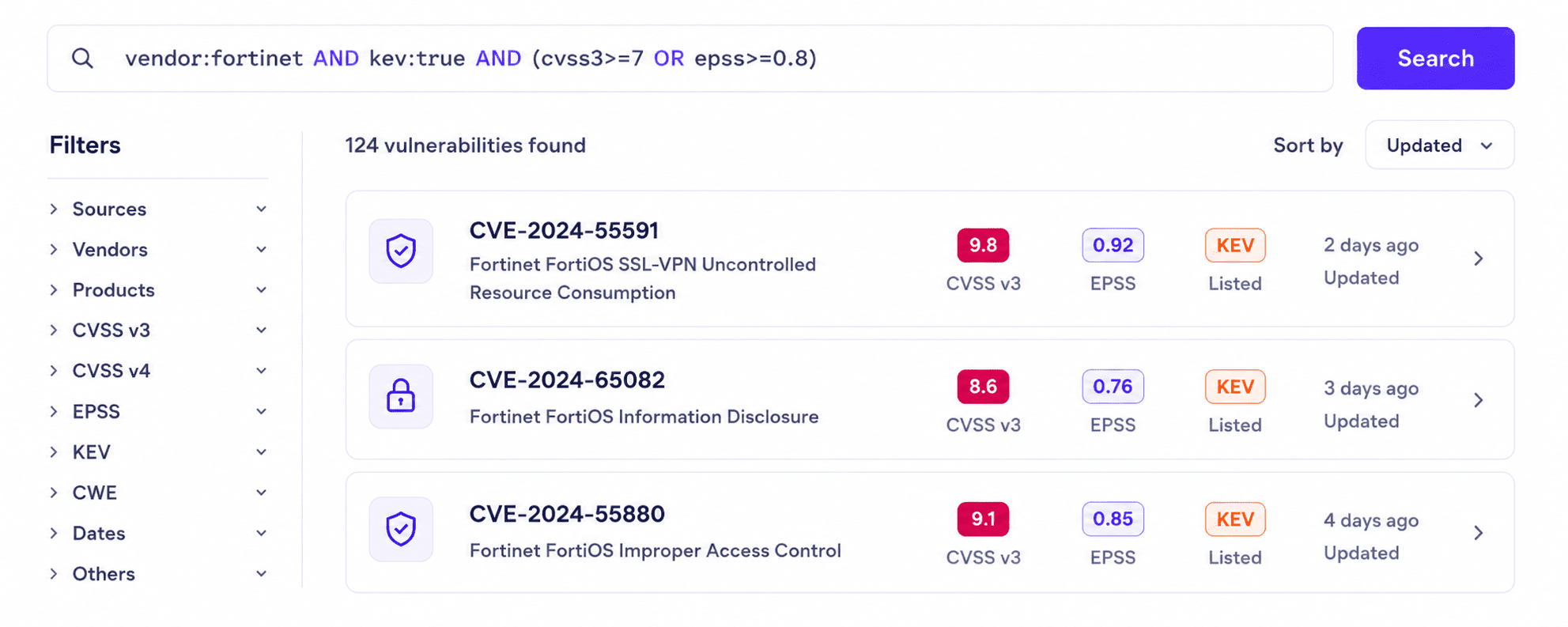
Search and filter 350k+ CVEs from a unified database with powerful query tools and live data.
Learn moreAI-powered enrichment surfaces impact, affected systems, and recommended actions at a glance.
Learn moreAssign owners, set statuses, and follow remediation across teams with full visibility.
Learn moreRoute alerts to email, Slack or webhooks based on rules you define and control.
Learn moreOpenCVE aggregates vulnerability data from NVD, KEV, MITRE, Red Hat, CISA and more. Search fast, filter precisely, and get the context you need.
OpenCVE turns incomplete CVE descriptions into structured, actionable analysis: impact, affected systems, exploitability signals and remediation guidance.
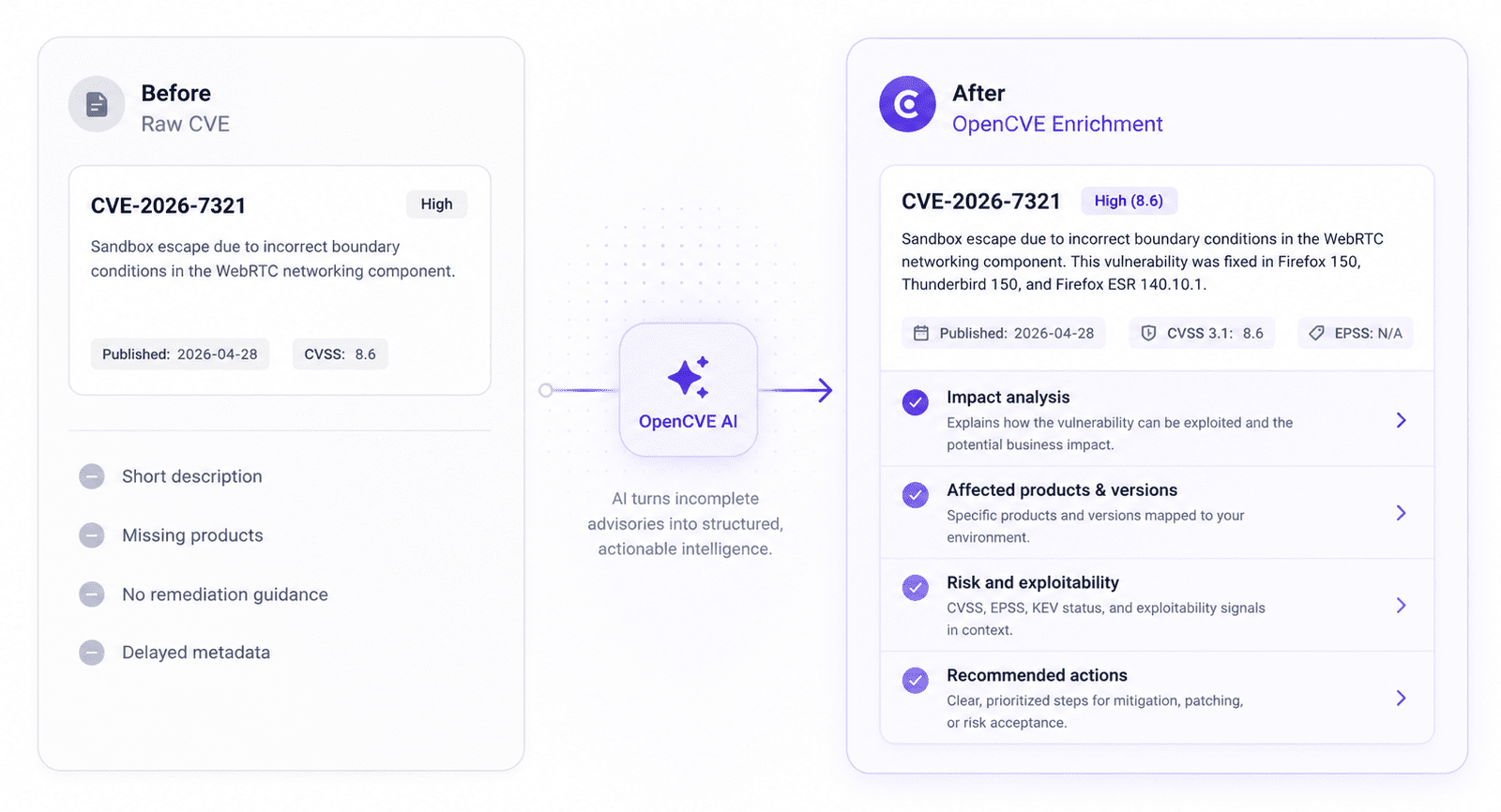
Severity and business impact summarized for quick triage.
Products and versions mapped to your environment.
CVSS, EPSS, and KEV context combined into clear risk signals.
Clear next steps for mitigation, patching, or risk acceptance.
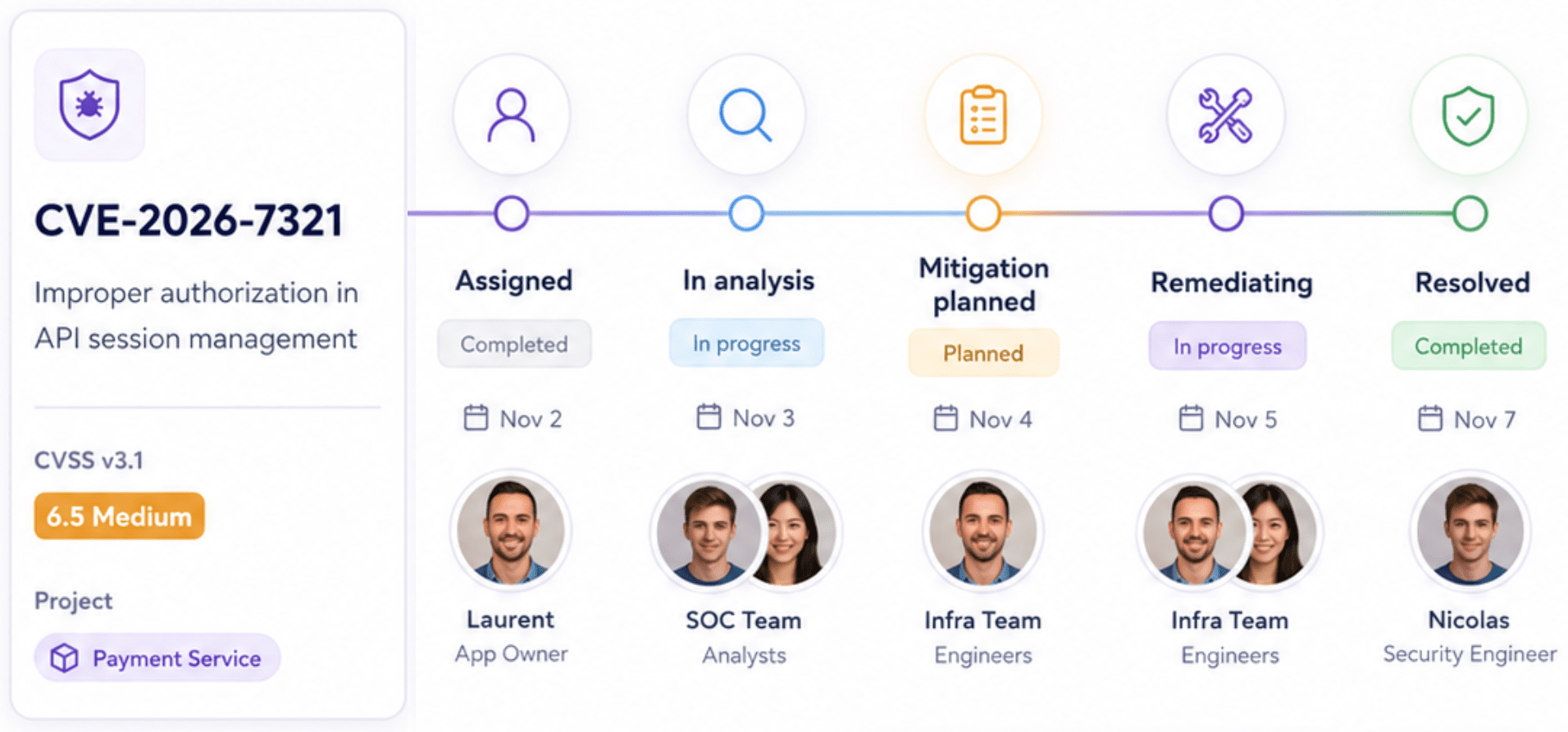
Know who owns each CVE, what its current status is, and what still needs to be done. From initial analysis to remediation or risk acceptance.
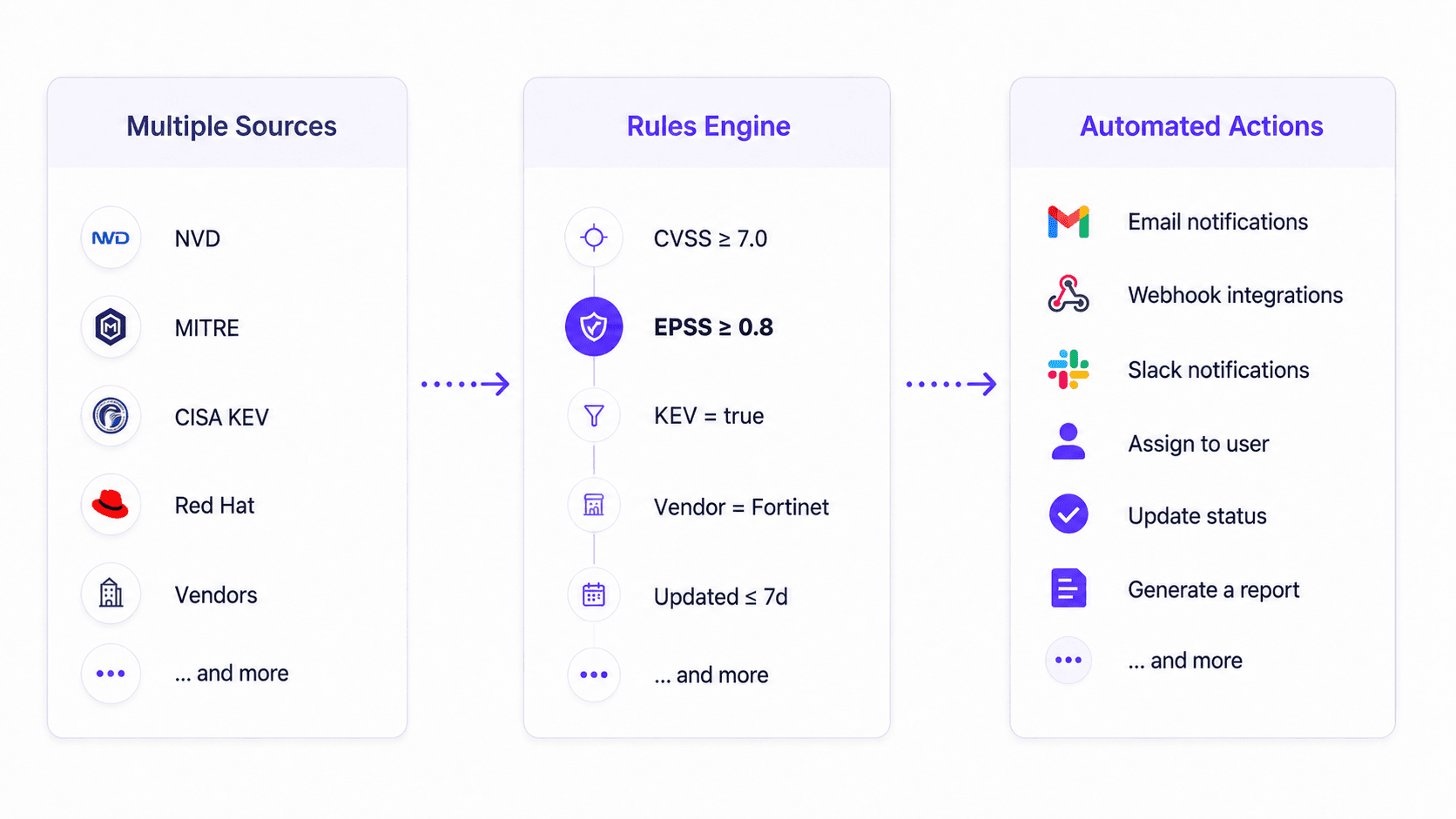
Connect multiple CVE sources to a rules engine that triggers the right actions, email, webhooks, Slack, Jira, and more.
From enterprises to MSSPs and product security teams, organize work the way your team operates.
Secure your organization with centralized visibility, governance and integrations.
Manage multiple customer environments with scale and efficiency.
Monitor your products, reduce risk early and ship securely.
Simplify vulnerability monitoring with a ready-to-use platform designed to support your teams and workflows.
Select your vendors and products, configure your alerts, and start monitoring without agents or complex deployment.
Automate vulnerability analysis with AI that assesses impact, explains risks, and recommends actions, saving your teams hours of manual work.
Yes, you can choose the Free Plan to test our solution. If you choose a paid Plan, you can unsubscribe anytime and your subscription will automatically end at the end of its period.
To get started, simply create an account and you will automatically be on the Free Plan. Then, go to the Usage & Billing section of your account to upgrade to the Starter, Pro or Enterprise plan. You can pay using credit card, PayPal, or Google Pay.
If you prefer to receive a quote, we can provide one. Just email us at billing@opencve.io with the quotas you need, and we will send you a personalized quote.
Yes, you can choose to subscribe monthly or yearly. Yearly subscriptions include 2 bonus months for free.
Payments are processed by our trusted partner (Paddle). We do not store any credit card information on our servers. All transactions are encrypted and securely handled by the payment providers.
Yes, there is no commitment. If you cancel your subscription, it will stay active until the end of the current billing period. After that, your account automatically switches back to the Free Plan.
For example, if you subscribe for 1 month on November 14 and cancel on November 18, you keep all paid features until December 14.
Quotas displayed for each plan are attached to your organization. For subscriptions and notification settings, you are free to distribute them across your projects however you like.
For example, with 15 subscriptions, you could allocate 4 to Backend API, 5 to Mobile App, and 6 to Internal Tools.
Yes, OpenCVE is open source and can be installed on-premise according to our license terms.
If you prefer a fully managed experience, you can use our SaaS with the plan that best fits your needs. If you use OpenCVE on-premise for commercial purposes (for example, to monitor the products of your own customers or to resell the service), you must purchase a commercial license. Please contact us at billing@opencve.io.
Start exploring vulnerabilities instantly. Search the public CVE database with real filters and live data.